CRONY KUWAIT
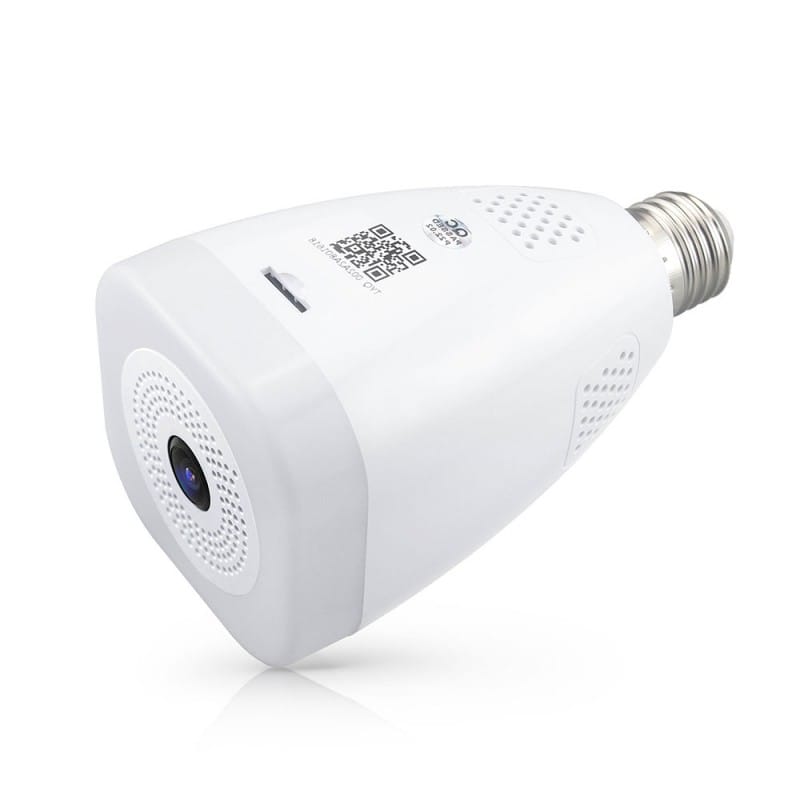
CRONY: TUYA SMART BULB CAMERA
Couldn't load pickup availability
Real-time preview interface
1. Setting & Management
2. Wi-Fi signal strength
3. Sound switch
4. SD/HD
5. Full screen
6. Screenshot
7. Voice chat
8. Record live view
9. Playback of video
10. PTZ control (The camera can be arbitrarily rotated to give you a different perspective. You can move it up and down, capture any corner you want to view)
11. Motion detection alarm (abnormal report notification through intelligent detection of anomaly in home. You can go out to work and play confidently.
To set the alarm level according to the camera's filed of view can make the alarm more accurate
Click "" in the upper right corner of the control page for the management and setting of the device.
* Device Name— can modify the device name and device location;
* Share Device— can share this device to other people, enter the people's mobile phone number; (Note: the entered mobile phone number should be registered with a Tuya App account).
- Device Information— to view: Device ID, Wi-Fi signal strength, IP address, Mac address, Device time zone.
•
* Motion detection- can set the motion detection switch and motion detection alarm sensitivity.
* Memory card settings— switch.
* Value-added Service Purchase-video cloud storage service (optional according to customer needs).
* Firmware Information - Support OTA Remote Upgrade (Do not disconnect during upgrading). - Compatible app Tuya Smart / Smart Home
Type product Security camera
Connecting Wireless - WARRANTY: 3MONTHS
Share